Dictation for macOS
Your Mac already knows how to listen.
So Lousa doesn't ship your voice anywhere. Hold a key and speak; the transcription and the tidying both happen on the Neural Engine, and the finished sentence appears wherever you were already typing. No account. No cloud. No monthly anything.
A farewell letter to cloud dictation — and not a word of it typed.
Three reasons this is worth switching to.
Nothing to leak
A privacy policy is a promise. An absent network call is a fact. Lousa has no server, so there's no breach to have.
It knows where it's typing
Loose in Slack, careful in your editor. Same voice, different register — and a dictionary that finally spells your colleagues' names right.
You buy it, not rent it
Thirty-nine ninety-nine, one time, because your laptop is doing the expensive part.
Four steps, none of them a network request.
01
You hold the key and talk
Any app, any text field. No window opens, nothing steals focus.
02
The Neural Engine transcribes
On-device recognition, sized to your machine's memory automatically.
03
A local model tidies it
Fillers out, commas in, tone matched to the app. Say “scratch that” and it takes the last bit back. Or turn cleanup off and keep the transcript raw.
04
It lands at your cursor
Usually before you've finished thinking about the next sentence.
This is the entire interface.
A small panel that appears while you're holding the key and leaves when the text lands. No window to arrange, no transcript list to manage, nothing to close.
Let's push the release to Thursday and tell Siobhán
Held key, four seconds, done. The panel fades 900ms after the text is inserted.
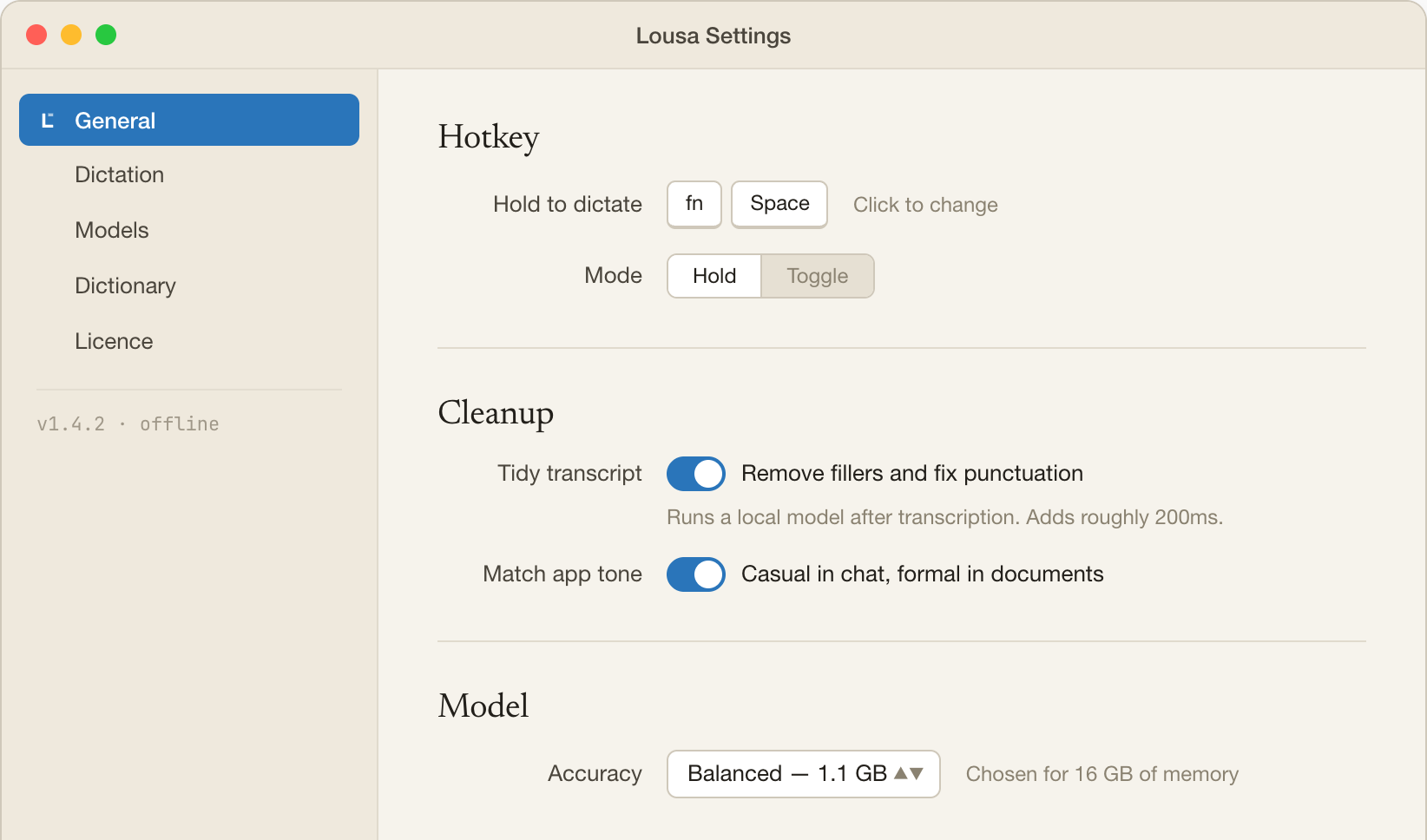
Pick a hotkey, pick a tone, pick how much cleanup you want. Then close the window.
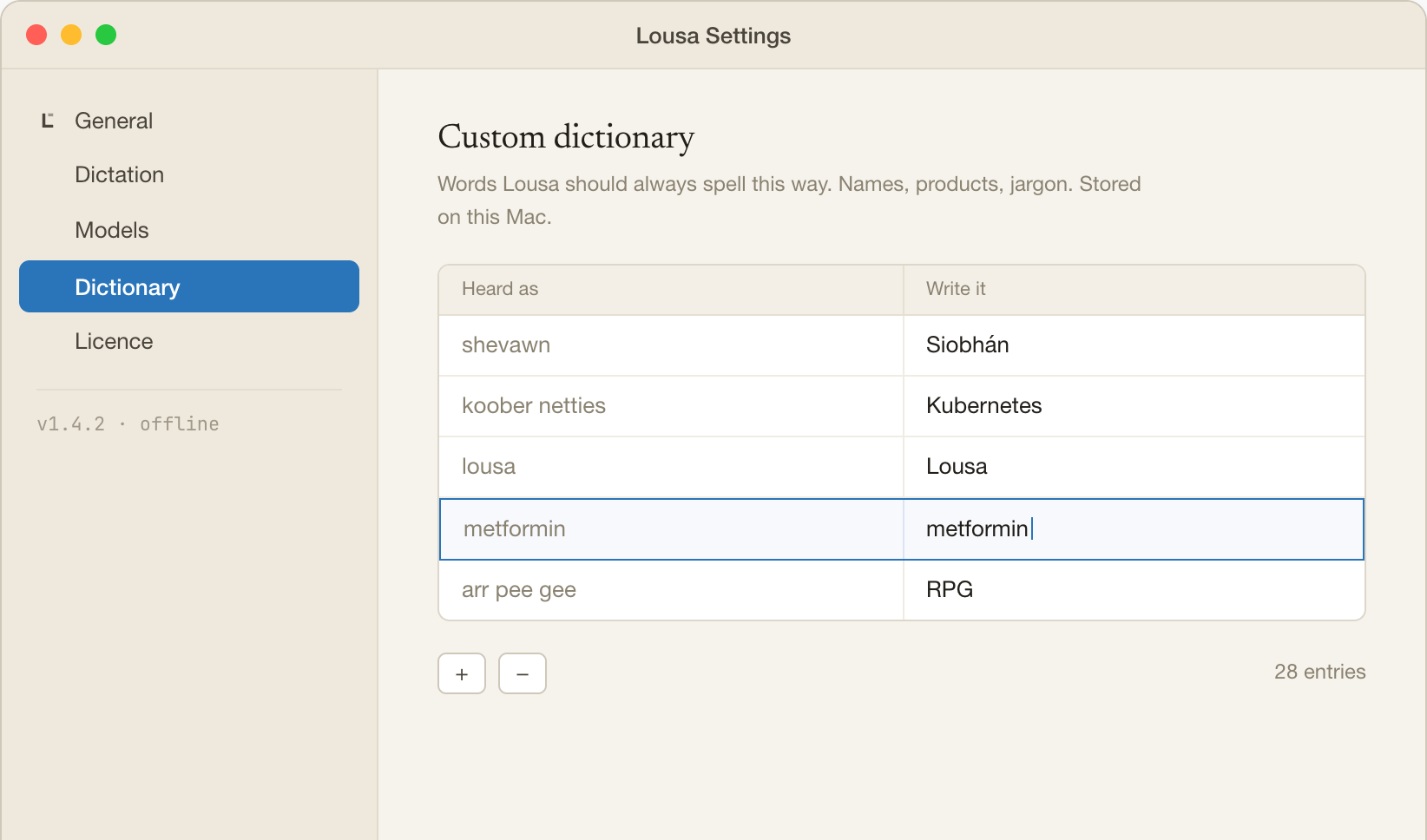
Add the words only you say. Product names, medications, Siobhán.
The difference, plainly.
Pay once. It's yours.
No seat, no renewal email, no dashboard to log into. Your license key arrives by email; you paste it into Settings → Lousa Pro and forget Lousa exists.
Free
$0
Seven days with everything on, then fifteen dictations a day for as long as you like. No card.
Pro
$19.99
The same app with the daily limit lifted. Every feature is in the free tier too — dictate as much as you want, and keep every future update.
Lousa never phones home about your voice. Transcription and cleanup run on your Mac, and the only thing it ever downloads is the speech and language models, once, on first run.
Seven days, everything unlocked.
After the trial it keeps working — fifteen dictations a day, free, no card. Pay when you're sure.
macOS 14 or later · Apple Silicon · license key by email, no account